You don't have to remember. Ween does.
Tell him the thing before you forget it. He brings it back when it matters, no app to open, nothing to file away.
Free. Windows 11. No account needed.
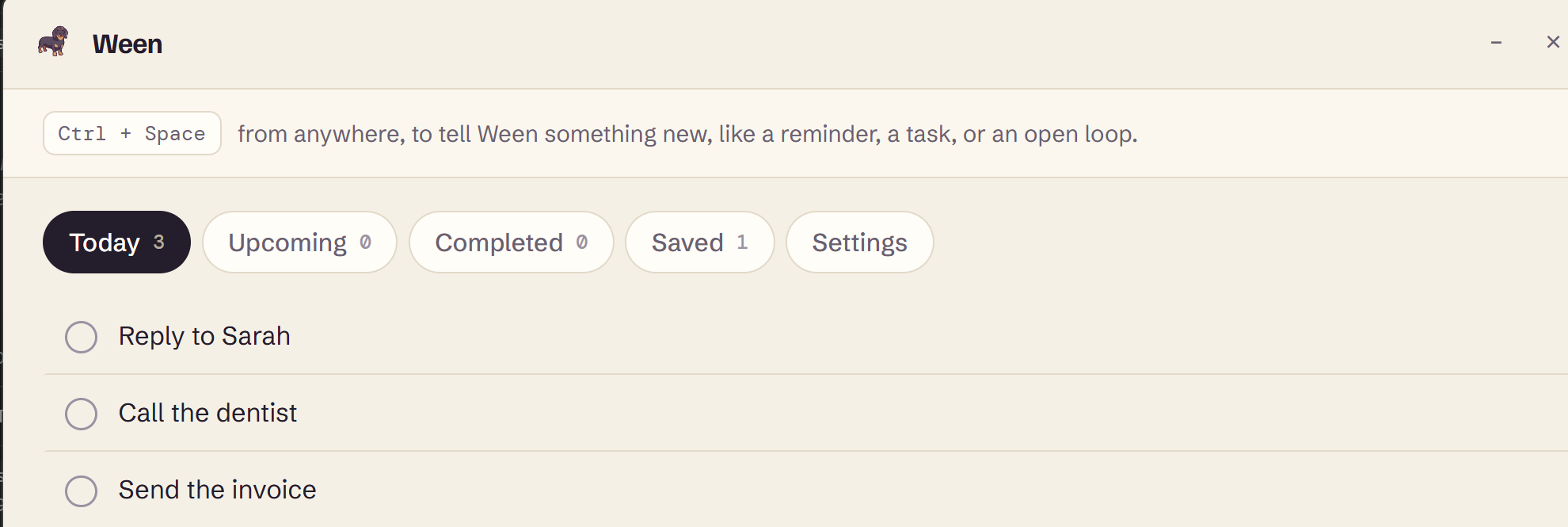
Your head is not a to-do list.
A handful of these move through your head most days. Most of them get lost somewhere between one tab and the next.
Capture
Ctrl + Space. Say it. Done.
Type it however it comes out: "remind me to book the hotel Friday" works, and so does just "book the hotel." Ween sorts out the rest.


Got it. Friday.
One hotkey, one line, and it's out of your head.
Sniff
Find it by describing it, not naming it.
"That pricing thing the studio sent me." "The tab about tents." Ween checks what you've saved, noted, and been reminded about, and comes back with the one you meant.
- Plain language, no filters to set up
- Knows what you saved and roughly when
- Works the same from the desktop app or the browser
Reminders
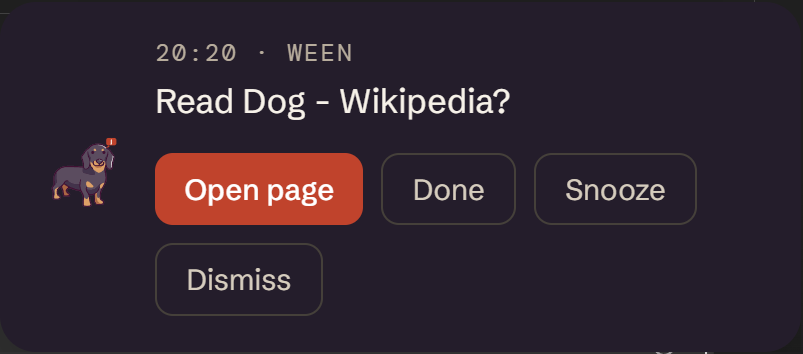
He remembers, then he says something.
A reminder from Ween shows up once, sits quietly on your screen, and gives you three honest choices: done, snooze, or not now. No streak to break, no red badge piling up.
Open loops
The things you said, not the things you typed.
Sometimes you don't set a reminder. You just say it, in passing, and mean it. Ween notices when the day came and went and nothing happened, and mentions it, once.

You mentioned sending Alex a proposal on Monday. Still open?
Fetch · Browser
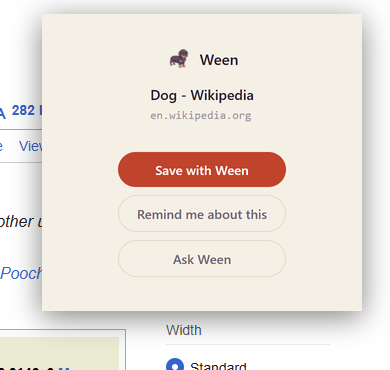
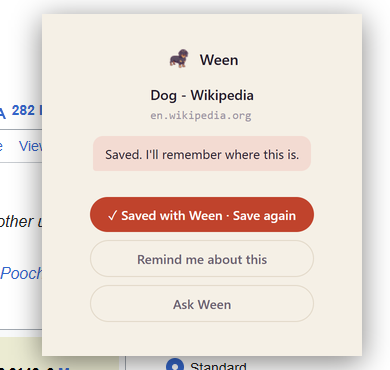
Save a page without leaving it.
Click Save with Ween on anything and add a reminder if you want one. It's searchable back in Ween later, no folders or bookmarking system required.
He's not another productivity system. He's a dog.
He sits quietly at the edge of what you're doing. He doesn't nag, he doesn't gamify your to-do list, and he definitely won't email you a weekly report.
 Inbox · quiet
 searching notes
 rate_card.pdf
 "...that thing?"
Privacy
Everything stays on your machine.
Your reminders, notes, and saved pages live in a local database on your computer. Not in the cloud. Nothing to sync, nothing that leaves the machine.
Why no account? There's nothing to sign into in the first place. Ween works the moment you install it.
The browser extension only ever talks to the desktop app, over one connection on your own machine that you approve once. Nothing else can reach it.
No analytics. No usage tracking. Ween doesn't know what you type unless you tell it, and it never phones home.